

Reply to guests
Guests can message you from your listing page and from the Match results, before they book. Their messages land on the Messages page, on the Owner tab. Replying quickly makes it easier for a guest to decide to book.
Guests write first
Section titled “Guests write first”Hosts can’t start a new chat; you reply to guests who have messaged you. Until someone writes, the Owner tab says No guest has messaged you yet. When someone writes about one of your listings, the chat shows up here.
Read and reply
Section titled “Read and reply”-
Press the chat icon in the top bar (next to the notification bell). The red number is how many messages you haven’t read. If the new messages are only on the host side, the page opens on the Owner tab by itself.
-
Choose the Owner tab. Each row shows the guest’s name, the room they asked about, the latest message and how many are unread.
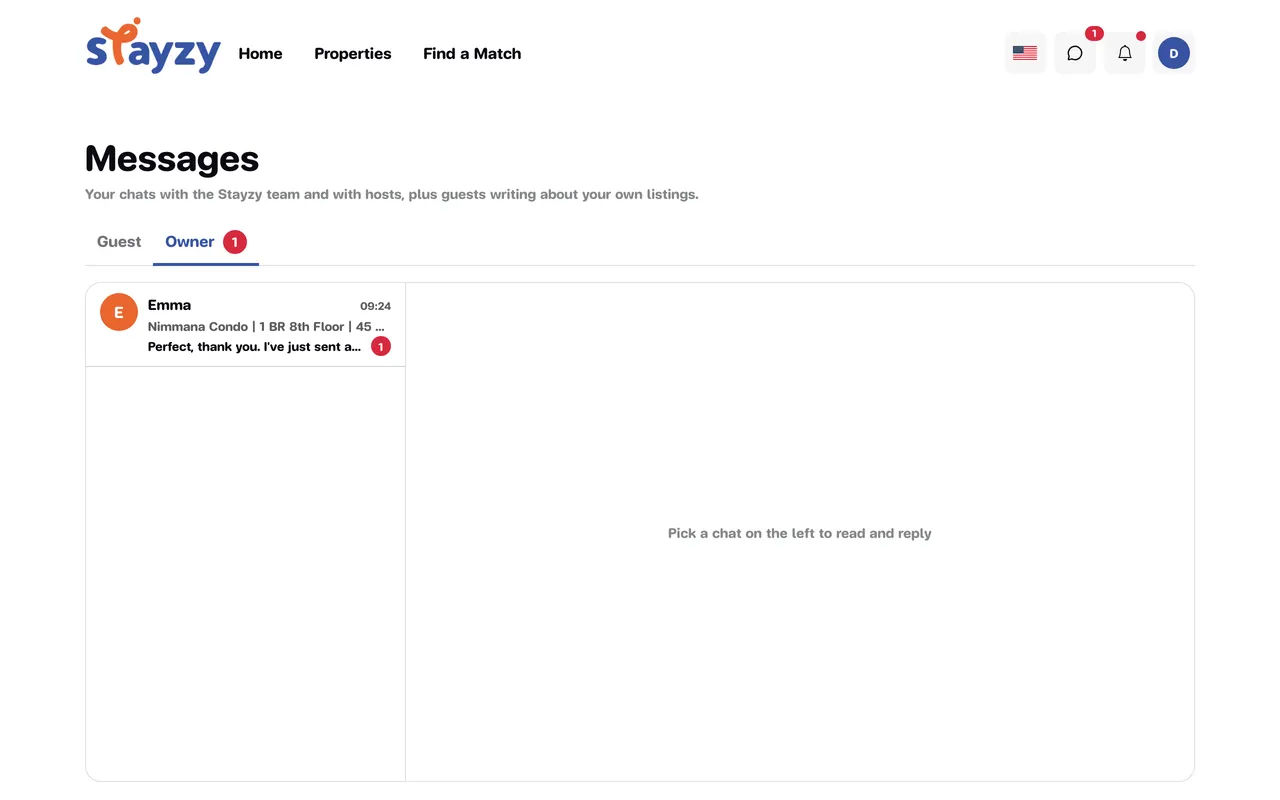
-
Open a chat. A guest’s first message usually comes with a room card, so you know which listing they mean.
-
Type your reply and press send. You can attach photos with Attach a photo, as in the team chat; see Chat with the Stayzy team.
Guest messages in the bottom-right chat button
Section titled “Guest messages in the bottom-right chat button”While you browse the rest of the site, the chat button in the bottom-right corner counts guests’ messages too. Open it to see a Messages from guests section with an Open inbox link, or reply right there.
The hosting pages don’t have the bottom-right chat button; use the chat icon in the top bar there.
Message a guest from a booking
Section titled “Message a guest from a booking”On the details page of a booking request or booking, the Guest information section has a Send message button. It opens your chat with that guest on the Messages page.
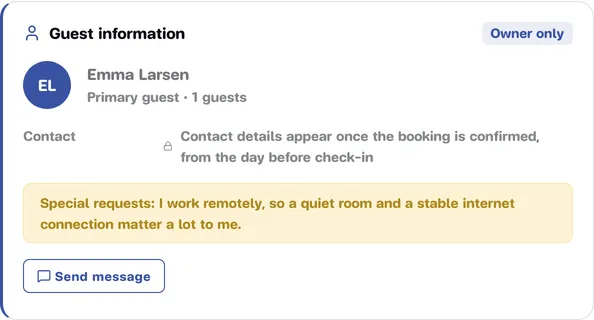
If the guest hasn’t messaged you yet, the button is greyed out, and hovering over it shows The guest hasn’t messaged you yet. For handling requests, see Answer booking requests and Manage bookings.
The same rules as for guests
Section titled “The same rules as for guests”- Contact details are hidden. Phone numbers, email addresses, LINE IDs and links to other websites are replaced with ••••, with the note Contact details show once a booking is confirmed. That includes your own messages. Once this guest has a confirmed booking with you (for any of your listings), contact details show normally, older messages included.
- The Stayzy team may read the chat. Every chat starts with Contact details show once a booking is confirmed · The Stayzy team may review this chat for safety. The team only reads; it doesn’t write in the chat.
- First names only. You see the guest’s first name and they see yours: no surnames or email addresses.
- Read status. Under your latest message you see Sent, which changes to Seen by the guest once they’ve read it.
For the guest’s side, see Chat with a host.
Notifications for new messages
Section titled “Notifications for new messages”If a guest writes and you haven’t read it within about 5 minutes, we send you one email per round and add a “New message from (guest’s name)” notification to the bell. Pressing it opens that chat. See Notifications.