

Search for a place
Stayzy rents places by the month: every stay is at least 30 nights. Start from the search bar on the home page, then narrow things down on the listings page, which shows the results next to a map. Not sure what you want yet? Try Match instead.
Search from the home page
Section titled “Search from the home page”-
Open stayzyliving.com. The search bar sits at the bottom of the top banner.

-
In Where, type at least 2 letters of an area, province or listing name. Suggestions include places in Thailand and listings whose name matches.
- Pick a place to search for listings around it.
- Pick a listing to open its page straight away.
-
In Stay period, pick a check-in and a check-out day, then press Apply. (If you don’t know your check-out yet, a check-in alone is enough to search.)
-
In Who, set Adults (ages 13 or above), Children (ages 2-12), Infants (under 2), Pets and Parking (minimum parking spaces needed), then press Apply.
-
Press Search to open the listings page.
The listings page and the map
Section titled “The listings page and the map”On a computer the page has three parts: filters on the left, listing cards in the middle and the map on the right. The results are the listings inside the map’s current view; the heading above the cards says “… Properties in view”.
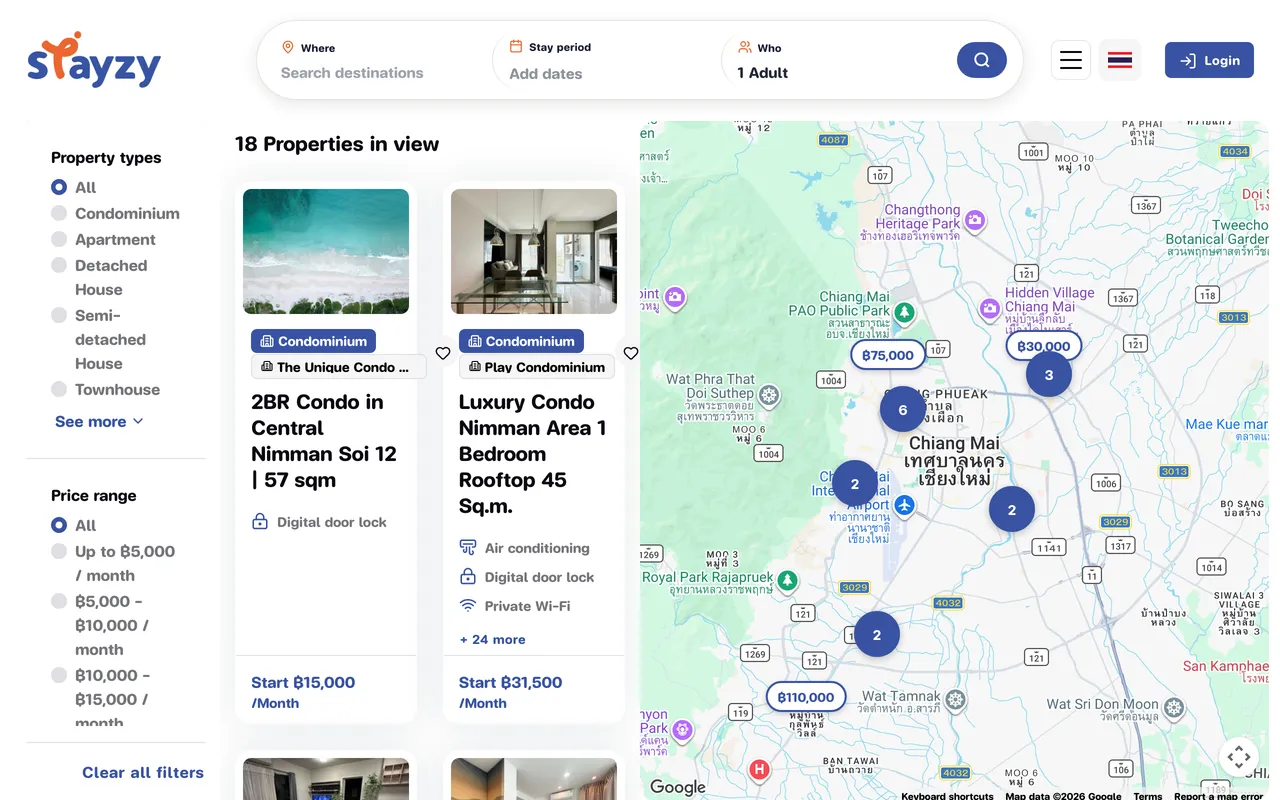
- Drag or zoom the map to look at another area; the list follows straight away.
- Pins show the monthly price. Click a pin to see a small card for that listing.
- A circle with a number is a group of listings close together. Click it to zoom in.
On a phone the map comes first. Tap View … stays at the bottom to see the list, and View on map to go back.
Filter the results
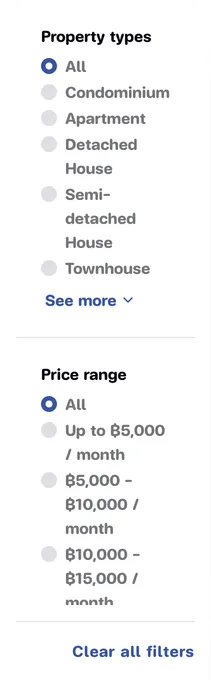
Section titled “Filter the results”On a computer the filters are on the left. On a phone, tap Filters at the top. Results update as soon as you pick something (on a phone, tap Show … results to close the filters).
| Filter | What it does |
|---|---|
| Property types | e.g. condominium, detached house. See more shows the rest. |
| Price range | Monthly price, e.g. “Up to ฿5,000 / month” or “฿20,000+ / month” |
| Bedrooms / Bathrooms / Parking | A minimum, e.g. 2+ |
| Amenities | Grouped by category; click a category to open it. Pick as many as you like. |
| House Rules | Pets allowed, Smoking allowed, Events allowed |
To start over, press Clear all filters under the filters (on a phone, Clear All).
Reading a listing card
Section titled “Reading a listing card”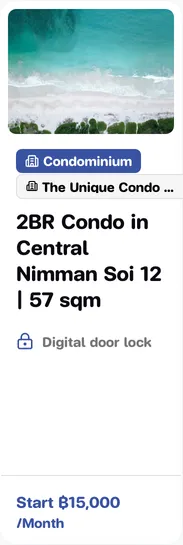
- Property type badge, e.g. condominium.
- Project badge (building icon): the unit is part of a project, such as a condo building or a housing estate. Click it to open the project page. Several units in the same project each get their own card.
- Price: “Start ฿… / Month”. If you searched with dates, the length band follows, e.g. “30–89 nights”.
- Click the card to open the listing in a new tab.
Save places you like
Section titled “Save places you like”Press the heart on a card (or on the listing page) to add it to your Wishlist; press it again to remove it. If you are not signed in, you are taken to sign in first. Your saved places are under Wishlist.