
Guest mode and host mode
On Stayzy you do not need two accounts. The same account can be a guest looking for a place and a host listing a property. Each side has its own menu, called Guest mode and Host mode, and you can switch between them at any time without signing out. Your personal details, identity verification and chats are shared by both modes.
The profile menu
Section titled “The profile menu”Once you are signed in, your profile picture sits at the top right (if you have no picture yet, it is a circle with your first initial). Press it to open the menu.
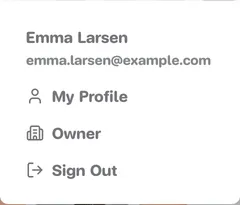
- My Profile opens guest mode, on your profile page.
- Owner opens host mode, on the host dashboard.
- Sign Out.
Switch modes from the side menu
Section titled “Switch modes from the side menu”On your account pages and on the host pages, a menu card on the left shows your picture, name, email and a badge saying which mode you are in.
-
Look at the badge under your name: Guest mode or Host mode.
-
Press the switch button under it.
- In guest mode the button reads Switch to host mode and takes you to the host dashboard.
- In host mode it reads Switch to guest mode and takes you to your profile.
The pencil icon at the top right of the card opens My Profile, so you can edit your details from either mode.
Guest mode menu
Section titled “Guest mode menu”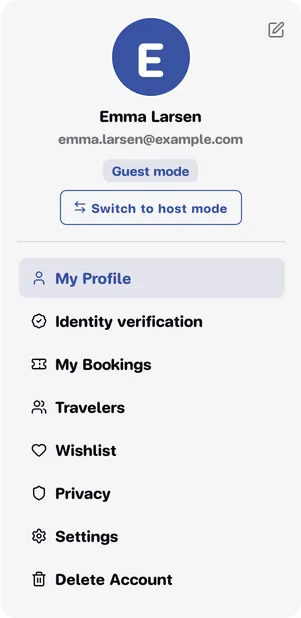
| Menu | What it is for |
|---|---|
| My Profile | Personal details, profile picture, change email and password. See Profile. |
| Identity verification | Send your ID card or passport for our team to check. See Identity verification. |
| My Bookings | All your booking requests and bookings. See My bookings. |
| Travelers | People you often book for. See Saved travelers. |
| Wishlist | Places you saved with the heart. See Wishlist. |
| Privacy | Consents, policies and history. See Privacy and your data. |
| Settings | Sign out of your other devices. See Profile. |
| Delete Account | Delete your account. See Delete your account. |
Host mode menu
Section titled “Host mode menu”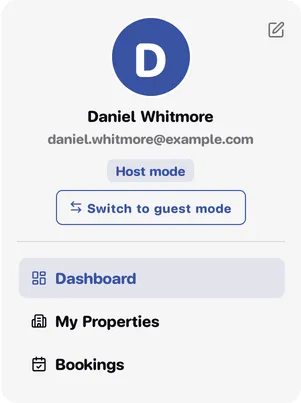
| Menu | What it is for |
|---|---|
| Dashboard | An overview of your places and bookings. See Host dashboard. |
| My Properties | Your listings: add a new one, edit, show or hide. See Manage your listings. |
| Bookings | Booking requests and bookings for your places. See Booking requests. |
Never listed a place before? Start with Become a host.
On phones and tablets
Section titled “On phones and tablets”On a small screen the left-hand menu card is hidden and its items move into the menu drawer.
-
Press the menu button (three lines) next to the Stayzy logo at the top left.
-
Scroll below the site menu. You will see My account (on your account pages) or Owner (on the host pages), with the same items as above.
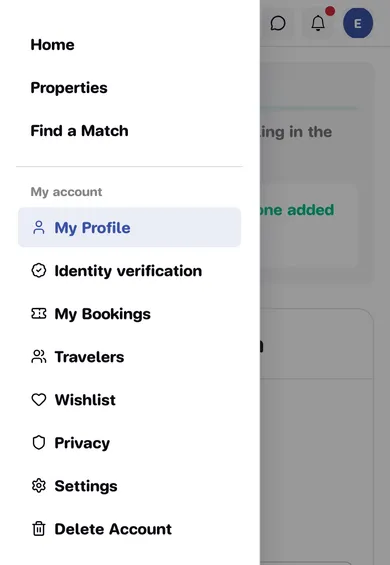
The phone drawer has no mode switch button. Switch from the profile menu at the top right instead: Owner for host mode, My Profile to go back to guest mode.