

Match me with a room
Don’t know where to start? The Match page asks a few questions about what you need, then picks the 3 rooms that fit best and explains why each one does or doesn’t suit you. Open it at stayzyliving.com/en/match.
Tell Match what you need
Section titled “Tell Match what you need”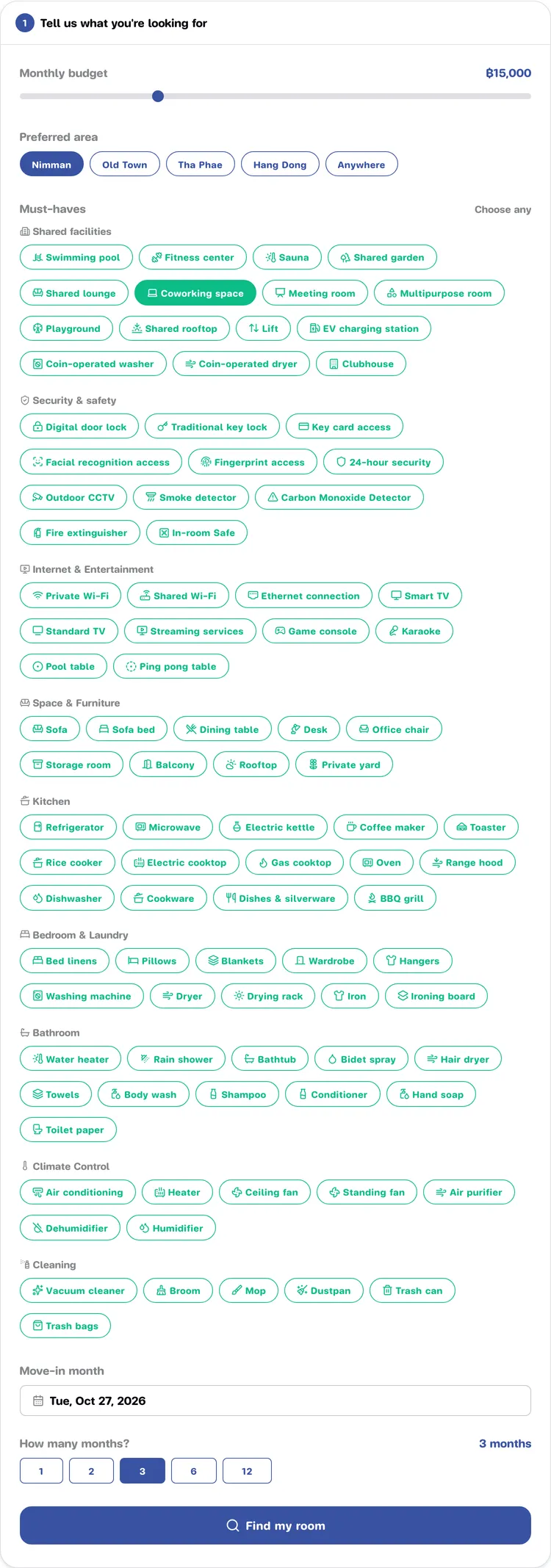
-
Monthly budget: drag the slider (from ฿6,000 to ฿40,000 a month).
-
Preferred area: pick one, e.g. Nimman, Old Town, Tha Phae, Hang Dong or Anywhere.
-
Must-haves: pick as many as you like. The Shared facilities group is what the project provides for everyone, such as a pool; the other groups are things in the unit.
-
Move-in month: pick the date you would like to move in (today by default).
-
How many months?: choose 1, 2, 3, 6 or 12.
-
Press Find my room.
If you change an answer after getting results, the old results disappear. Press Find my room again to search with the new answers.
Reading the results
Section titled “Reading the results”You get a heading “Found … rooms that fit you” and one card per room, best fit first.
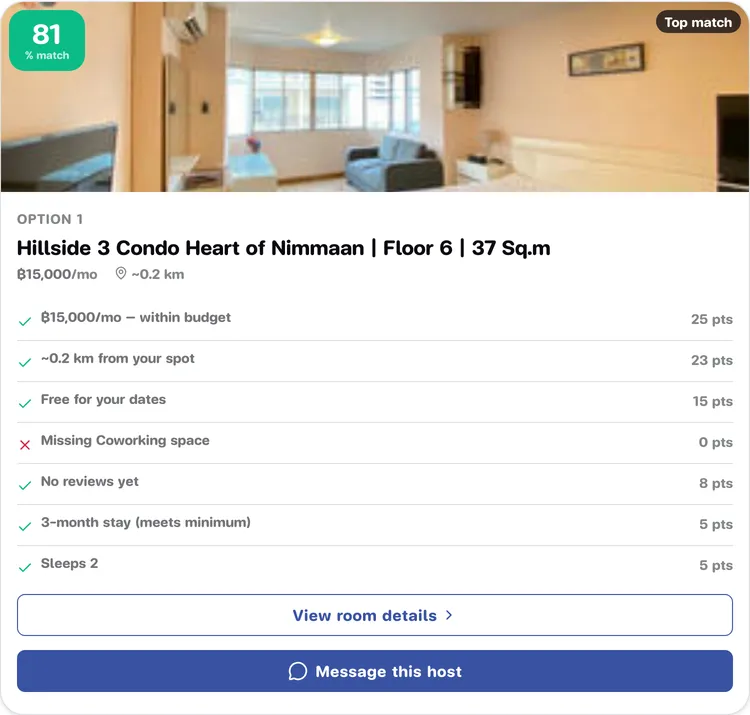
- % match in the top-left corner of the photo: the higher, the closer to what you asked for.
- Tier badge in the top-right corner: Top match, Good fit, An option or Not recommended.
- Option 1, 2, 3: the room’s rank.
- Project badge: if several units in the same project match, it says “… matching units”. Click it to see them all on the project page.
- Reasons: each line says whether the room passes (✓), nearly passes (⚠) or fails (✗) on one point, such as budget, location, availability, amenities, stay length and room size, with the points it scored.
What to do next
Section titled “What to do next”- View room details opens the listing page, where you can see photos and prices and send a booking request.
- Message this host opens a chat with that room’s host, with the room attached to your message (see Chat with a host).
If nothing fits yet you will see No exact matches right now. Press Chat with us for help to talk to the Stayzy team, who will help you find a room (see Chat with Stayzy).