

Privacy and your data
The Privacy & Data pages bring everything about your personal data into one place. You can see which consents you have given, which version of each policy you accepted and when, withdraw optional consents, and delete your account. Open them from the profile menu: choose My Profile, then Privacy in the left-hand menu.
There are five sub-pages: Overview, Consents, Your Data, Policies and Activity Log.
Overview
Section titled “Overview”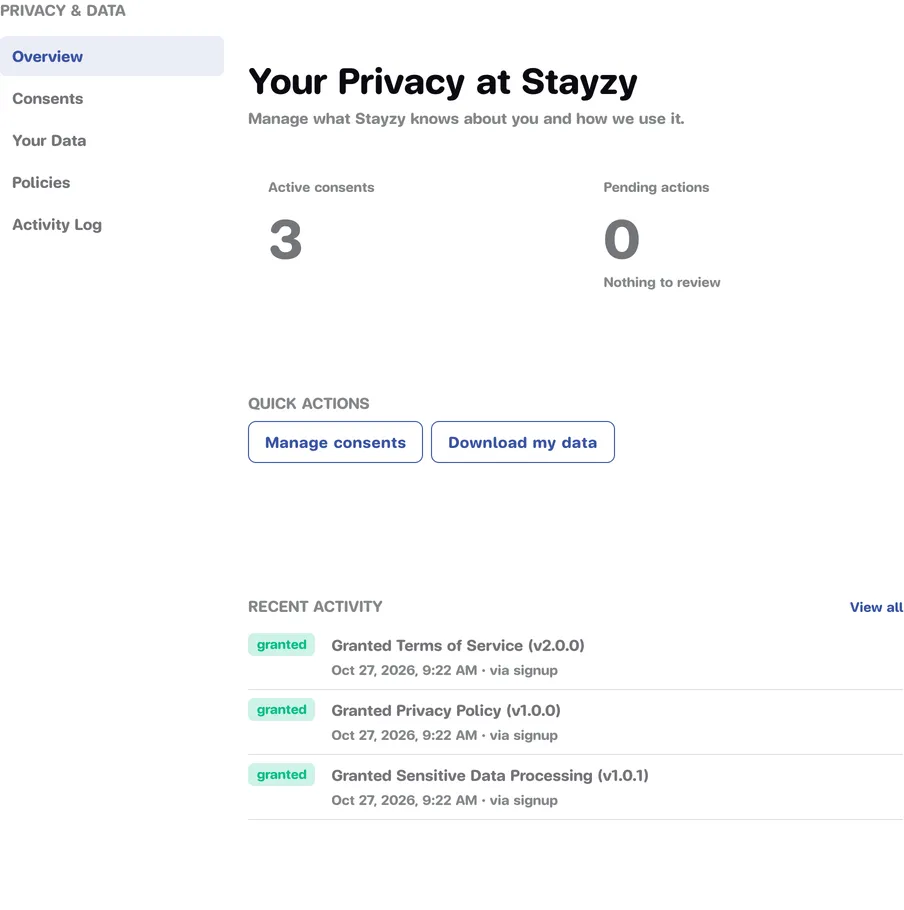
- Active consents: how many consents you have given that are still in effect.
- Pending actions: how many policies have a newer version than the one you accepted. At 0 it says Nothing to review.
- Quick actions: Manage consents and Download my data (which opens Your Data).
- Recent activity: your last five consent changes. Press View all for the full history.
Consents
Section titled “Consents”Manage Your Consents shows each policy as a card with its status, Granted or Withdrawn, and the date.
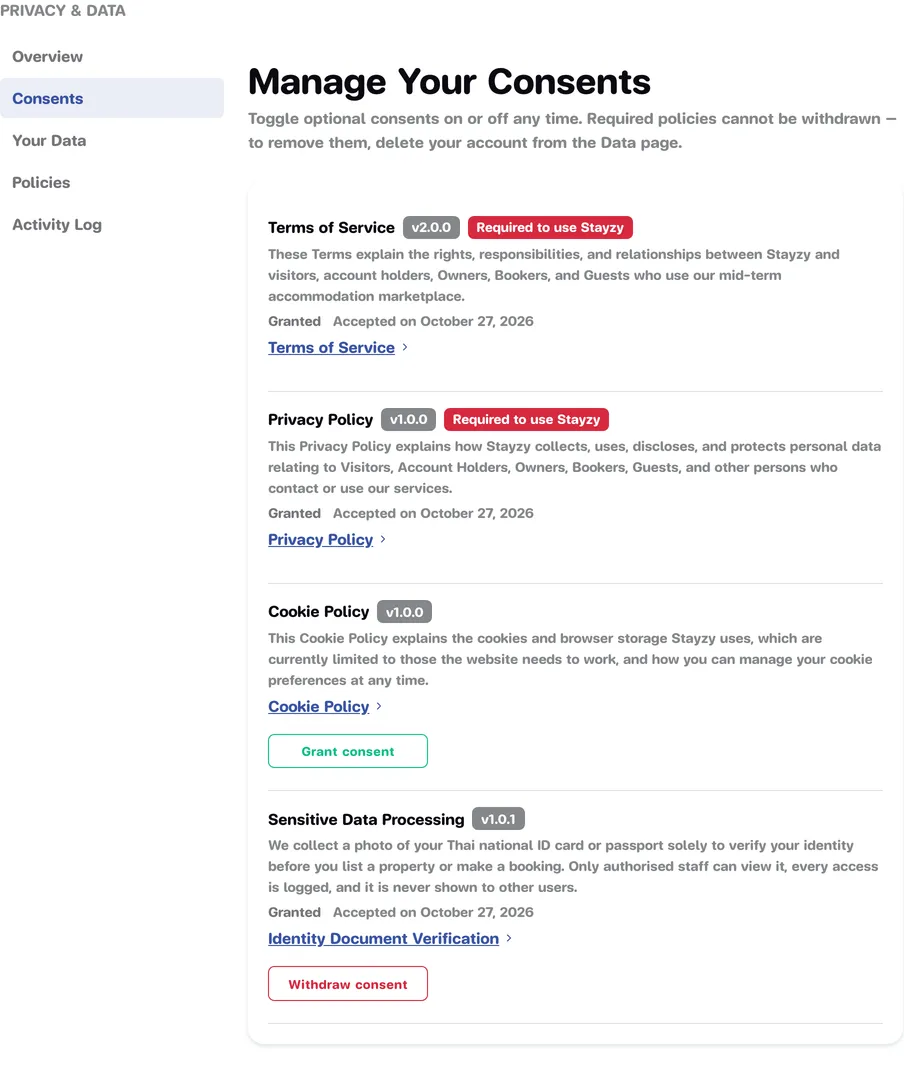
- Policies marked Required to use Stayzy, such as the Terms of Service and the Privacy Policy, cannot be withdrawn. If you no longer accept them, the only way is to delete your account.
- Optional policies can be withdrawn at any time and granted again later.
- When a newer version exists, the card says Version … is now available. Press Review changes to read and accept it.
Withdraw a consent
Section titled “Withdraw a consent”-
On the policy’s card, press Withdraw consent.
-
In the Withdraw consent? window you can add a Reason (optional).
-
Press Yes, withdraw, or Keep consent if you change your mind.
Once withdrawn, we stop using your data for that policy’s purpose. To give consent again, press Grant consent on the same card.
Policies
Section titled “Policies”Policies you’ve accepted lists every policy you have accepted, with the version you accepted, when, and what the current version is.
- View this version opens the version you accepted.
- View current version opens the latest one.
Activity Log
Section titled “Activity Log”The Activity Log is a timeline of every time you granted or withdrew a consent. Filter it with All actions, Granted or Withdrawn, and press Load more for older entries.
Your Data
Section titled “Your Data”Your Data is where you delete your account. See Delete your account for all the steps.
If you want a copy of the personal data Stayzy holds about you, for now please ask the Stayzy team directly through chat or the contact page. See FAQ and contact.
Cookie settings
Section titled “Cookie settings”The first time you open the website, a We use cookies box lets you choose Accept all, Reject all, or Customize to pick each category. To change your choice later:
-
Scroll to the very bottom of any Stayzy page.
-
Press Cookie Preferences in the bottom bar.
-
Choose the cookie categories you allow and press Save preferences.
Cookie settings are stored in the browser you are using. On another device or browser you will be asked again. Read the details in the Cookie Policy.